



Projection of External Data
Use File > Project from Geographic to project data in external vector and raster files. Any projection supported by Flex Projector can be used, including custom-made projections created with Flex Projector.
- File > Project from Geographic > Project Shape File: Project vector data in ESRI Shape files and store the result in one of these formats: DXF (georeferenced), ESRI Shape (georeferenced), Adobe Illustrator AI, JPEG, PDF, PNG, SVG, or Ungenerate (georeferenced). Esri Shape is the recommended format. Flex Projector does not create a .prj file when exporting to the Esri Shape format.
- File > Project from Geographic > Project Image: Project a variety of raster image formats (PNG, JPEG, GIF, TIFF). PNG is the recommended format. Projected raster images are saved in TIFF format with a .tfw world file containing the information for georeferencing the projected image.
- File > Project from Geographic > Project Grid: Project a grid in ESRI ASCII Grid format, containing a digital elevation model or other raster data, and store the projected grid in an ESRI ASCII Grid file.
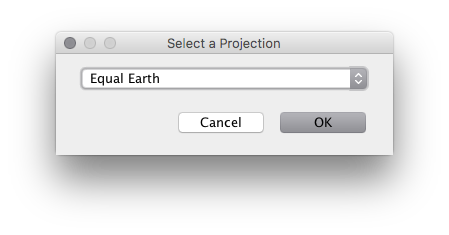
The projected files are not displayed in Flex Projector. Instead, Flex Projector will present a dialog to create a file to write the projected data to. You can then use the projected data in other applications.
Important
- All data must be in the “geographic” projection (i.e. longitude / latitude or Plate Carrée projection), using degrees as units.
- Esri Shape files with points, lines or polygons are supported. However, when polygons cross the datum line, artefacts might appear in some cases.
- Projected maps are always centered on the standard Greenwich meridian.
- Raster image data with a width-to-height ratio of 2:1 is automatically georeferenced, assuming a Plate Carrée projection.
When projecting raster images or grid data, there is the choice between nearest neighbor or bi-cubic Interpolation in the Preferences dialog. Use nearest neighbor for categorical data, such as thematic land cover data that should not be interpolated. Use bi-cubic Interpolation for continuous tone images or continuous grid data, such elevation models.
The Flex Projector contains a selection of files that you can use for free. Natural Earth is a highly recommendable source for free cartographic data at various scales.